Concurrent Planning and Scheduling
Exploiting the Amazon Effect with Concurrent Planning & Scheduling
Strategies to capitalize on the amazon effect with concurrent planning and scheduling.
Learn how finite capacity planning uses machines, labor, and material constraints to create feasible schedules and realistic promise dates.
Finite capacity planning builds a production plan around actual plant limits. It checks machines, labor, tools, materials, storage, and time before planners promise an order date. As a result, the schedule becomes more useful than a rough time-bucket plan.
However, traditional systems often load work without checking those limits. So, planners may commit to dates before they know whether the plant can do the work.
When a schedule ignores constraints, late orders become more likely. Then teams may rush jobs, expedite materials, add overtime, or re-promise shipments. However, finite capacity scheduling lowers that risk. It places work only when the required resources and materials are available.
Answer Capsule: What finite capacity planning and scheduling does
Finite capacity planning and scheduling helps manufacturers build a realistic production plan. It matches each operation to available machines, labor, materials, tools, and time. As a result, planners can confirm capacity before they promise orders. In APS software, they can also test changes, spot bottlenecks, and protect delivery dates when demand shifts.
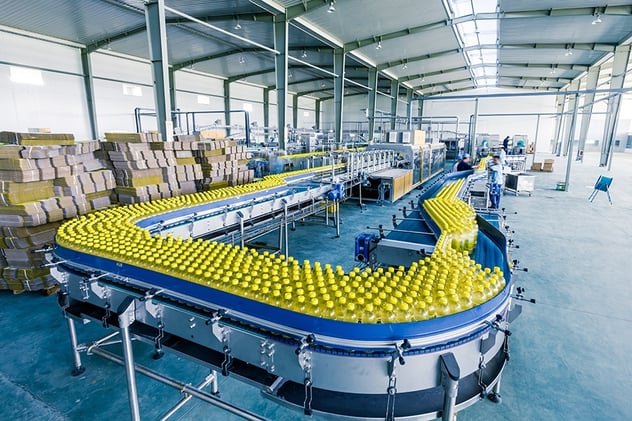
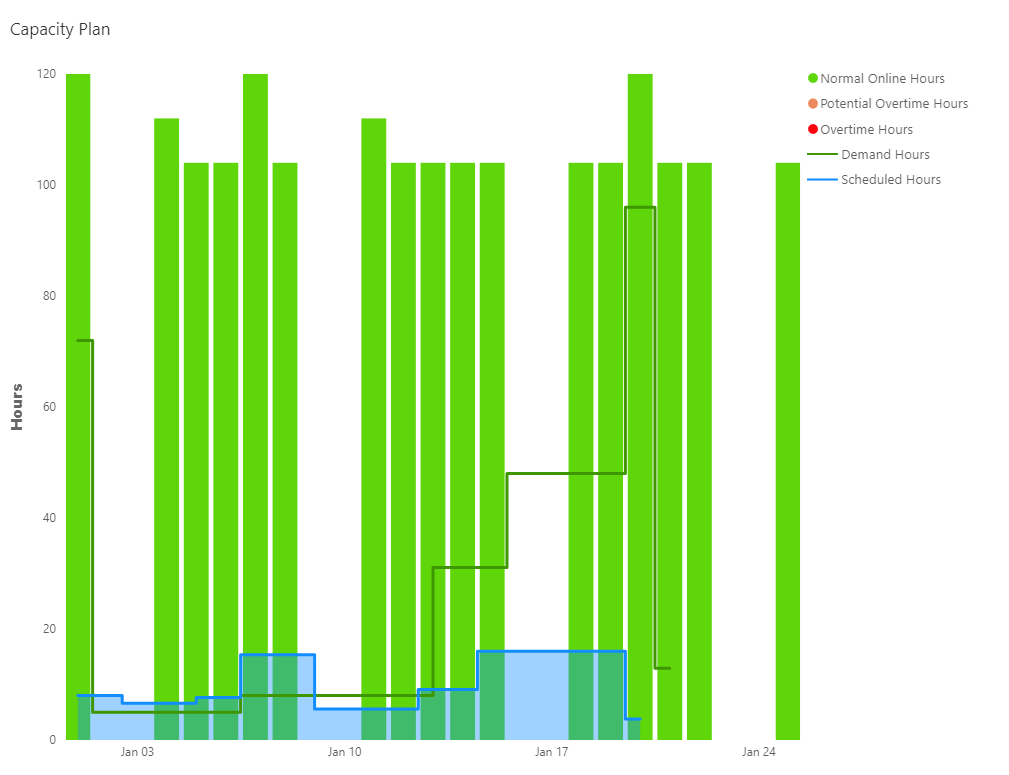
Capacity planning shows whether a production plan can run with the resources you have. If planned work exceeds machine, labor, tool, or material capacity, late orders become more likely.
Planners need a fast way to compare demand with resource availability. For example, hundreds or thousands of jobs may compete for the same people and machines. In addition, order priority, material dates, and labor availability can change during the day.
APS software helps planners calculate capacity needs across a defined time frame. In addition, it checks resource limits so work can move through production at a more realistic pace.
PlanetTogether APS uses data about which resources can perform each job, when materials arrive, and the run rates for each resource. Then, the system builds a schedule from the finite capacity available in the plant.
As a result, planners can review a schedule that reflects real constraints. They do not have to rely on an ideal plan that assumes capacity will always be available. The schedule can support strategic, tactical, and day-to-day planning decisions.
PlanetTogether enables us to provide a quality product to our customers in a timely manner.
Use this quick check to decide whether finite capacity scheduling should be a priority:
Before choosing a next step, list the constraints that most often break your schedule. Then, check whether your current planning process can model those constraints before orders are promised.
Concurrent planning and scheduling connects the production plan with detailed shop-floor capacity. Manufacturers need promise dates that reflect sequence, run rates, and materials. However, a work-center bucket alone usually does not show that detail.
In many plants, the production plan becomes disconnected from material availability and work-center schedules. For example, tasks may sit in broad time buckets, even when machines run at different rates or need different setups. In addition, planners may not know exactly when a task will start.
These gaps severely limit your ability to give customers accurate promise dates. As a result, they also make it harder to see how a change will affect delivery commitments.
An APS system can quickly create a concurrent production plan and schedule. Then, it can account for constraints, sequence rules, and management priorities.
Therefore, planning and scheduling teams can work from the same view of demand, supply, and capacity. Production, procurement, sales, and customer service teams can also see how schedule changes affect orders before the plant commits to a date.
PlanetTogether APS supports visibility across scheduling, production, and procurement teams. As a result, manufacturers can keep demand and supply more closely aligned. They can also reduce disruption from last-minute schedule changes.
APS software supports manufacturers when ERP, MRP, or spreadsheet planning lacks detailed scheduling visibility. It helps planners review priorities, capacity, materials, and inventory in one planning process.
Manufacturers can connect APS with ERP, MRP, MES, and supply chain systems through APS software integrations for ERP, MRP, and MES. That connection helps planners model finite production constraints that ERP systems may not handle in detail.
With PlanetTogether APS you can:
Can your schedule show whether each order can run with the capacity, materials, and labor you actually have? First, this video shows how finite capacity scheduling connects demand, resource availability, material limits, and shop-floor sequence. Then, it shows how those inputs support a more feasible production plan.
For example, ERP time buckets and spreadsheet schedules can hide bottlenecks. They can also hide sequence issues. In contrast, APS helps planners test schedule changes before they commit to dates.
What you’ll see:
A feasible production schedule depends on more than software. It also depends on clean data, defined constraints, shared KPIs, and a workflow planners can trust. Use the APS Readiness Score Ebook to identify gaps before your next APS evaluation conversation.
Download APS Readiness Score eBook Now
When your team evaluates APS, start with the operational data already available in your ERP system. Then, identify the scheduling gaps that block planners from seeing capacity, material availability, and delivery impact in one plan.
Finite capacity planning and scheduling is a production planning method. It schedules work only when the required machines, labor, materials, tools, and time are available. As a result, planners can build schedules that reflect real constraints.
Finite capacity scheduling limits work to available capacity. Infinite capacity scheduling loads work without checking whether enough capacity exists. As a result, infinite schedules can look complete even when the shop floor cannot run them on time.
Many ERP systems plan in time buckets and focus on transactions, inventory, and order management. However, they may not model detailed sequence rules, run rates, changeovers, labor limits, or material timing.
A finite capacity schedule should include the constraints that limit production. Common inputs include machines, work centers, labor, materials, tooling, calendars, run rates, setup times, changeovers, and bottleneck resources.
Manufacturers should evaluate APS when planners spend too much time rebuilding schedules. Also, evaluate APS when promise dates change often, bottlenecks are hard to see, or ERP and spreadsheet schedules do not reflect real shop-floor capacity.
If your team needs a schedule that accounts for real machines, labor, materials, changeovers, and promise dates, request a PlanetTogether APS demo.
A product specialist can walk through how finite capacity scheduling can support your planning process.
Strategies to capitalize on the amazon effect with concurrent planning and scheduling.
Learn how concurrent planning and scheduling helps manufacturers create feasible schedules, react faster to disruptions, and improve delivery.
Learn the 5 core components of APS software in manufacturing: demand forecasting, production planning, scheduling, distribution planning, and...