Cost Control in Manufacturing with PlanetTogether APS and ERP Systems
Learn how PlanetTogether APS and ERP integration helps plant managers control costs tied to schedules, labor, inventory, downtime, and bottlenecks.
By PlanetTogether
Published: Mar 28, 2025
| Last Verified: May 1, 2026
Quick Answer: Cost Control in Manufacturing
Cost control in manufacturing depends on daily schedule decisions. Plant teams need to manage labor, materials, inventory, downtime, and bottlenecks. ERP systems hold key business data. APS turns that data into schedules the plant can run. As a result, planners can test scenarios and make better cost decisions before problems reach the floor.
Plant managers face cost pressure every day. Labor availability changes. Materials arrive late. Machines go down. Customer priorities shift. Therefore, cost control should start with the production schedule, not only the budget.
PlanetTogether APS helps planners use ERP, MES, and supply chain data to build schedules around real plant constraints. As a result, teams can manage capacity, protect bottleneck resources, and reduce avoidable waste.
What Drives Manufacturing Costs on the Plant Floor?
Manufacturing costs often rise when small schedule problems repeat. A late material can delay a job. An overloaded machine can create a queue. An unplanned changeover can add labor, scrap, and delivery risk.
Common manufacturing cost drivers include:
Inefficient production scheduling
Excess inventory and raw material waste
Machine downtime and maintenance delays
Labor inefficiencies and overtime
Energy use during inefficient production runs
Expediting caused by late or unstable schedules
However, these costs are hard to control when planning data lives in separate systems. Spreadsheets and static ERP plans often cannot respond fast enough when conditions change on the floor.
Why ERP Alone Is Not Enough for Cost Control
ERP systems such as SAP, Oracle, and Microsoft Dynamics hold important data. They track orders, inventory, purchasing, finance, and operations. However, ERP systems may not show whether the schedule can run within real plant capacity.
That gap matters because many costs start in the schedule. If the plan ignores bottlenecks, labor limits, changeovers, materials, or downtime, the plant may pay through overtime, idle time, waste, or late orders.
Therefore, APS helps close that gap. It gives planners a scheduling layer that uses ERP data and accounts for real production constraints.
How APS Helps Plant Managers Control Production Costs
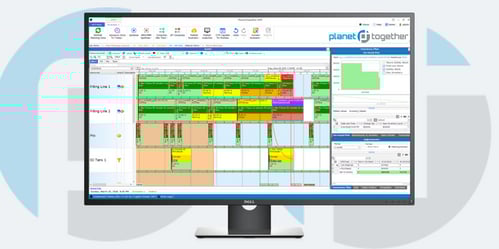
PlanetTogether APS helps plant managers turn production data into feasible schedules. Instead of reacting to every disruption, planners can compare options before they commit the schedule.
With APS, plant teams can:
Sequence jobs across work centers with fewer manual changes
Reduce changeovers and protect bottleneck resources
Synchronize labor, machines, materials, and order priorities
Test what-if scenarios before rush orders or outages raise costs
Align schedules with real shop-floor constraints
As a result, cost control becomes part of daily production planning. Teams can see which schedule choices may drive overtime, idle time, inventory risk, or late orders.
How APS and ERP Integration Improves Cost Visibility
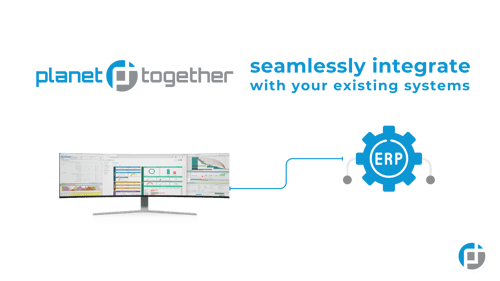
APS and ERP integration works best when it supports real planning decisions. ERP, SCM, and MES systems hold data about orders, inventory, routings, materials, labor, and production status. APS uses that data to build schedules around real constraints.
For plant managers, this improves cost visibility. They can see how a schedule change may affect labor, machine use, materials, delivery dates, and bottleneck resources.
However, integration should support decisions, not just data movement. The goal is to give planners a clear view of trade-offs before cost problems reach production.
PlanetTogether + SAP ERP or SAP S/4HANA
SAP may hold data for orders, inventory, BOMs, routings, and capacity. When SAP connects with PlanetTogether, planners can use that data to build more realistic production schedules.
For example, current BOM and routing data can support material checks and resource selection. Then, production schedule updates can support execution and reporting in SAP.
PlanetTogether + Oracle Cloud or E-Business Suite
Oracle can support procurement, cost accounting, inventory, and operations data. PlanetTogether helps planners use that data to compare schedules and review production trade-offs.
For example, planners can test how a rush order, material delay, or machine outage may affect labor, capacity, and delivery dates. Therefore, teams can act before costs spread across the schedule.
PlanetTogether + Microsoft Dynamics 365
Microsoft Dynamics 365 can provide order, inventory, and operations data. PlanetTogether adds a visual scheduling layer for daily production decisions.
When manufacturers have frequent changeovers or high product variety, this can improve schedule control. Planners can compare resources, adjust priorities, and check capacity before releasing work.
PlanetTogether + Kinaxis
Kinaxis can support supply chain planning and demand response. PlanetTogether supports plant-level scheduling when demand must become executable work.
In practice, the systems can help teams connect supply changes to plant constraints. This is useful when multi-site operations need fast answers about capacity, materials, and production priorities.
PlanetTogether + Aveva MES
Aveva MES can provide shop-floor data about machines, operators, and production status. PlanetTogether can use that information to help planners update schedules when conditions change.
For example, if a machine is unavailable, planners can compare alternate routes or resequence work. As a result, teams can reduce avoidable downtime, rework, and expediting.
Cost Control Wins from Planning to Execution
Cost control improves when planning and execution use the same data. The table below shows common cost problems and how APS integration can help planners respond.
Area
Cost Challenge
APS + Integration Support
Planning Outcome
Scheduling
Manual or delayed order updates
Use ERP/MES data to update the schedule
Fewer avoidable changeovers and delays
Inventory
Overstocking or shortages
Connect material availability to the schedule
Better timing for purchased and produced items
Labor
Overtime from poor planning
Schedule against labor availability and skills
Better labor use and fewer last-minute changes
Maintenance
Unexpected downtime
Plan around maintenance windows and resource limits
Fewer schedule disruptions
Energy
Inefficient production runs
Compare schedule scenarios and load-leveling options
Better use of machines and production time
Decision Framework: Which Cost Problem Should You Fix First?
Start with the cost problem that disrupts the schedule most often. If overtime is rising, review labor and capacity rules. If inventory is high, check material timing and order sequencing. If machines sit idle, protect bottleneck resources. If rush orders create chaos, use APS what-if scenarios before changing the schedule.
How to Start Improving Cost Control with APS
Cost control does not need to start with a full system overhaul. Plant managers can begin with one line, one product family, or one recurring planning problem.
Assess Your Current Tech Stack
First, review how your ERP, SCM, and MES systems support daily scheduling. Then, identify where planners still rely on spreadsheets, manual updates, or tribal knowledge.
Run a Pilot with PlanetTogether
Next, test APS on a focused scheduling problem. For example, review changeover time, labor use, material readiness, throughput, or bottleneck performance.
Integrate for Maximum Impact
Finally, connect PlanetTogether with enterprise systems where better data flow supports better decisions. Focus first on the data planners need to build feasible schedules.
Turn Cost Control into Smarter Production Scheduling
Cost control starts with better visibility into the daily decisions that drive waste, overtime, downtime, and inventory risk. However, ERP data alone may not show how schedule changes affect machines, labor, materials, and delivery dates.
Therefore, the white paper WHY ERP ALONE IS Not the Answer explains how APS helps close that gap. It shows how manufacturers can use ERP data while improving scheduling speed, resource use, and operational control.
In this white paper, you will learn how to:
First, identify where ERP planning leaves cost and capacity gaps
Next, connect production schedules to labor, machines, materials, and priorities
Then, improve bottleneck visibility before delays increase operating costs
Also, compare what-if scenarios before rush orders or outages disrupt the plan
Finally, reduce excess inventory, overtime, expediting, and avoidable waste
FAQs: Cost Control in Manufacturing
What is cost control in manufacturing?
Cost control in manufacturing means managing the factors that raise production cost. Common examples include labor, materials, inventory, downtime, changeovers, rework, energy use, and poor schedule execution.
How does production scheduling affect cost control?
Production scheduling affects cost control because the schedule decides how machines, labor, materials, and capacity are used. A poor schedule can increase overtime, idle time, changeovers, expediting, and late orders.
Why is ERP alone not enough for manufacturing cost control?
ERP systems store important order, inventory, purchasing, and finance data. However, they may not model finite capacity, bottlenecks, changeovers, labor constraints, or real-time scheduling trade-offs in enough detail.
How does APS help reduce manufacturing costs?
APS helps reduce manufacturing costs by creating feasible schedules around real constraints. It helps planners control overtime, protect bottleneck resources, improve material timing, and compare what-if scenarios.
When should a plant manager consider APS?
A plant manager should consider APS when schedule changes happen often, capacity is tight, bottlenecks limit output, overtime is rising, or ERP/MRP plans require too much manual adjustment before production can run.
See PlanetTogether APS in Action
Ready to control costs with schedules built around real plant constraints? Contact us today to see how PlanetTogether APS helps planners connect ERP data, capacity, labor, materials, and production priorities.