Job shop scheduling assigns jobs to machines, labor, and other resources at realistic times. In a job shop, each order may follow a different route. Therefore, planners need more than a simple date list. They need a schedule that protects bottlenecks, meets due dates, and cuts avoidable wait time.
For example, one order may need cutting, welding, inspection, and outside processing. Another order may skip two of those steps. Because the work path changes, the schedule must show the right sequence and the true resource limits.
Answer Capsule: Job shop scheduling software helps manufacturers plan many jobs across shared machines, labor, materials, and engineering resources. Strong systems model finite capacity, complex routings, operation order, bottlenecks, and schedule changes. As a result, planners can build a more realistic schedule than a spreadsheet or basic ERP due date can provide.
Characteristics/Features of Job Shop Scheduling Software
Job shop scheduling software is most useful when work does not follow one fixed path. It helps planners build schedules around real plant limits, not ideal capacity.
- Long or complex routings with different steps by job
- Shared constraints, such as machines, labor, materials, tooling, and engineering time
- Customer status updates based on the latest schedule
- Engineer-to-order (ETO) or make-to-order production
- Engineering tasks that can delay downstream work
- Alternate resources for jobs that can run on more than one machine or work center
Therefore, job shop scheduling must handle changing priorities, shared resources, and different work paths. It must also show why a job moves, waits, or misses a promised date.
Because job shop scheduling is complex, a job shop may pair it with finite capacity scheduling or advanced planning and scheduling software. APS can model flexible engineering resources, shared machines, labor limits, and alternate routings. Then planners can test changes before they release a new schedule to the floor.
In many job shops, engineers work on more than one project at a time. However, a rush order, design issue, or customer change can shift that work. As a result, the schedule should show how engineering time affects production.
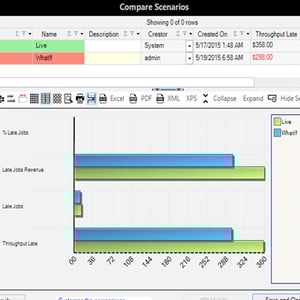
APS can also model “one-to-many” and “many-to-one” operation links. For example, this matters when one job feeds several later steps. Also, it matters when several jobs must finish before one operation can start. Graphical outputs and visual representations, such as Gantt Drag and Drop, help planners see waiting time, bottlenecks, and late jobs.
For example, several jobs may need the same machine. Meanwhile, other jobs may have machine options but no available labor. A realistic schedule checks both limits before it sets priorities.
Advanced Planning and Scheduling Software
Advanced Planning and Scheduling (APS) software helps job shops schedule against finite capacity. It fills planning gaps that ERP or MRP systems may leave when routings, priorities, and resources change during the day.
The article ERP or MRP? SAP or APS?…What’s the difference? explains how APS connects order, routing, BOM, inventory, and capacity data. Also, Advanced Planning and Scheduling (APS) helps planners compare trade-offs before they commit to a schedule.
- Create schedules that balance plant efficiency and delivery performance
- Improve output on bottleneck resources
- Match supply with demand to reduce excess inventory
- Give teams visibility into plant capacity
- Support data-driven scenario planning
Finally, APS can help manufacturers use the operational data you already have in your ERP to create more realistic production schedules.
Decision Framework: Is Your Job Shop Ready for APS?
Use basic job shop scheduling software when your team needs clearer sequencing for a small set of jobs. Choose APS when the schedule must account for finite capacity, labor, materials, engineering tasks, changeovers, and ERP order data.
- Check schedule realism. If the schedule assumes unlimited machine or labor capacity, you need finite capacity planning.
- Check constraint visibility. If planners cannot see why jobs may miss a due date, you need better bottleneck, material, labor, and engineering logic.
- Check response speed. If every rush order creates manual rescheduling, APS can help planners compare scenarios. Then they can change the schedule with better context.
Watch: Lean Manufacturing & Waste Reduction with APS
See how Advanced Planning & Scheduling (APS) supports lean manufacturing and minimizes waste in a job shop environment. Specifically, the video shows how APS uses job priorities, capacity limits, and current production data. As a result, planners can spot ways to reduce wait time, improve lead-time control, and keep bottlenecks productive.
Ready to Turn Job Shop Scheduling into a Real APS Project?
Job shop scheduling becomes an APS project when planners need a repeatable way to model constraints, connect ERP/MRP data, and share a realistic schedule.
Our white paper, “APS Implementation: Just the Facts,” gives you a practical roadmap for moving from spreadsheets and basic scheduling to APS.
In this guide, you’ll learn how to:
- Scope an APS project around complex routings, shared resources, and competing priorities
- Use existing ERP/MRP data, including orders, routings, and BOMs
- Plan APS and ERP integration for customer service, purchasing, and the shop floor
- Set realistic expectations for timeline, internal roles, and milestones
- Focus the project on throughput, on-time delivery, and less schedule firefighting
Use the guide to evaluate your next step.

FAQs About Job Shop Scheduling Software
What is job shop scheduling?
Job shop scheduling assigns jobs to machines, labor, and other resources. Each job may follow a different route through production.
What features matter most in job shop scheduling software?
The most important features include finite capacity planning, complex routing support, labor and machine constraints, alternate resources, bottleneck visibility, and schedule-change tools.
How is job shop scheduling different from general production scheduling?
General production scheduling may assume more repeatable work. However, job shop scheduling must handle high product mix, changing routes, shared resources, and customer-specific priorities.
Why do job shops need finite capacity planning?
Finite capacity planning keeps schedules realistic by accounting for machine, labor, material, tooling, and engineering limits.
When should a job shop consider APS software?
A job shop should consider APS when spreadsheets or ERP dates cannot show realistic capacity. APS is also useful when planners need to evaluate schedule changes quickly.
See How APS Could Fit Your Job Shop
If job priorities, bottlenecks, and capacity limits make your schedule hard to trust, a demo is a practical next step. See how PlanetTogether APS models resources, routings, and ERP data.
Request a PlanetTogether APS demo