Industrial Manufacturing
AI-Powered APS for Industrial Logistics & Distribution
Boost logistics efficiency in industrial manufacturing with AI-driven APS and integrated planning from PlanetTogether.
Learn how digital twin and condition monitoring data can support maintenance-aware production scheduling, APS planning, and equipment visibility.
Digital twins and condition monitoring systems (CMS) help plants use machine data in planning. CMS tracks machine health. A digital twin models an asset, line, or process. When this data supports APS, planners can adjust schedules around downtime risk, repair windows, capacity changes, labor, and materials.
In plant IT, this link matters because machine health affects the schedule. A hot motor, high vibration, or planned repair can change available capacity fast.
Therefore, machine data should not stay in a separate system. It should help maintenance, operations, and planning teams act before downtime hurts the plant.

Digital twins and CMS do different jobs. A digital twin models an asset, line, process, or plant system. CMS watches machine health through live signals.
A digital twin is a digital model of a physical asset, line, process, or system. In manufacturing, it can help teams see how equipment or flow may change under real plant conditions.
For example, a digital twin may model a packaging line, machining cell, or process unit. Then teams can compare expected performance with actual shop-floor data.
CMS tracks signals such as vibration, temperature, pressure, runtime, and speed. These signals help maintenance teams spot risk before a machine fails.
As a result, CMS can help teams plan repairs sooner, avoid surprises, and build schedules that match real machine status.

Manufacturers connect digital twins with CMS to turn machine data into plant decisions. The value comes from using machine health signals before they become schedule problems.
First, CMS gives teams live machine signals. The digital twin can place those signals into a model of the asset, line, or process.
As a result, maintenance and operations teams can see when a machine may need attention. Planners can also see whether that risk affects capacity or due dates.
Next, machine data can help teams plan repairs before equipment failure interrupts production. This matters when a machine supports a bottleneck, customer order, or short run window.
Instead of adding repairs after the schedule is full, planners can reserve time earlier. That helps protect output, labor plans, and customer commitments.
Also, digital twin and CMS data can support what-if planning in production planning. Teams can test how downtime, reduced speed, or repair windows may affect production.
Then planners can compare options before changes reach the floor. This helps the plant respond with less firefighting.
Machine data creates more value when it helps planners make decisions. ERP, MES, CMS, digital twin tools, and APS each hold part of the planning picture.
In practice, ERP may hold orders and materials. MES may hold shop-floor activity. CMS may hold machine health data. APS uses that data to build schedules around capacity, labor, materials, and due dates.
Therefore, IT teams should map the data flow before work starts. The goal is not more data. The goal is a better schedule.
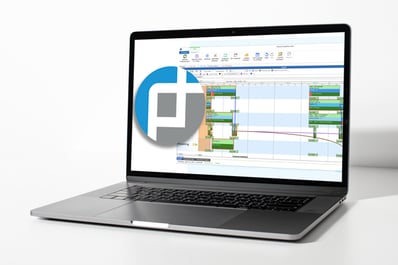
PlanetTogether APS helps plants build schedules around real limits. Those limits may include machines, labor, materials, routes, repair windows, and due dates.
When machine data is ready for planning, APS can show the schedule impact. For example, planners can test whether to move a repair window, shift work to another line, or review a customer date.
Also, APS software integrations help connect planning with ERP, SCM, and MES systems. This gives IT and operations teams a clearer path from machine insight to schedule action.
Machine data helps most when it changes the schedule for the better. The main benefits are clearer repair timing, better use of key assets, and faster response to risk.
First, APS can help planners compare options when machine status changes. If a machine goes down, the team can test the effect on capacity, due dates, and work order sequence.
Next, machine health data can help planners protect constrained resources. This matters when one asset controls output for a line, product family, or customer order.
Then, repair insight can help planners look ahead. They can add expected repair windows before those windows create schedule conflicts.
Finally, connected planning gives teams a shared view. Operations, maintenance, IT, and planning can work from the same machine and schedule data.
Use this three-step check before you connect digital twin, CMS, and planning systems.
Digital twin, CMS, and APS projects work best when IT teams start with a clear planning problem. Do not connect systems just because the data exists. Connect data because it helps the plant make a better decision.
First, decide what the project should improve. Common goals include reducing downtime, protecting bottleneck capacity, improving repair timing, or creating more realistic schedules.
Next, identify which machine signals matter to planning. Useful data may include machine status, repair windows, downtime risk, runtime, speed, or capacity changes.
Then, map how data will move between CMS, digital twin tools, ERP, MES, SCM, and APS. This step helps IT teams find ownership gaps, naming issues, and security needs.
Also, set rules for data quality, access, backups, and cybersecurity. Poor data can make a connected schedule less reliable, not more reliable.
Finally, train the people who will use the connected data. Planning, maintenance, operations, and IT teams need one shared process for responding to machine signals.

Machine health data can warn you about downtime, repair windows, and capacity risk. However, it helps the schedule only when it fits your APS, ERP, MES, and shop floor data flow. Use this APS guide to check the data, roles, and rollout steps needed for finite capacity scheduling. Then your team can plan a practical path from machine signals to schedule decisions.

A digital twin is a digital model of a physical asset, process, line, or production system. Manufacturers use it to see how equipment or operations may change under real plant conditions.
A condition monitoring system tracks machine health through signals such as vibration, temperature, pressure, speed, or runtime. It helps teams find risk before failure disrupts production.
Condition monitoring provides live machine data. A digital twin helps model how that machine may affect production. Together, they can support better repair timing, capacity planning, and downtime response.
APS can use machine availability, repair windows, capacity limits, and downtime assumptions to build more realistic schedules. When data quality is strong, planners can test changes before they affect the shop floor.
Manufacturers should check data quality, ownership, asset names, routing accuracy, repair rules, ERP and MES connections, security needs, and planning goals before implementation.
Want to see how APS can connect planning decisions to real production limits? Request a PlanetTogether APS demo to see how planners build schedules around capacity, repairs, materials, labor, and due dates.
Boost logistics efficiency in industrial manufacturing with AI-driven APS and integrated planning from PlanetTogether.
Explore how integrating PlanetTogether with ERP systems like SAP and Oracle revolutionizes adaptive control in industrial robotics.
Discover how AI enhances production scheduling efficiency, integrates with ERP systems, and maximizes resource utilization for industrial...