Learn how AI simulations help plant managers test layout changes, reduce bottlenecks, improve flow, and connect decisions to APS schedules.
By PlanetTogether
Published: Feb 29, 2024
| Last Verified: Jun 4, 2026
Quick Answer: AI Simulations for Production Line Layout
AI simulations help plant managers test production line layout changes before moving equipment, labor, or materials. They show how each layout may affect flow, bottlenecks, cycle time, throughput, and downtime. When teams connect simulation results to APS and ERP data, they can make layout decisions that support feasible production schedules.
Production line layout affects how work moves through the plant. It shapes material travel, equipment use, labor movement, queue time, and bottlenecks.
However, many layout changes still rely on trial and error. That approach can create downtime, rework, and schedule disruption.
As a result, AI simulations give plant managers a safer way to compare options. They let teams test layout ideas in a virtual model before making changes on the floor.
What Is Production Line Layout Optimization?
Production line layout optimization means arranging machines, workstations, storage points, labor paths, and material flow. The goal is to help production move with fewer delays.
A strong layout helps teams reduce extra movement and shorten wait time. It also protects bottleneck resources and helps planners see whether the line can support the production schedule.
For example, layout optimization can improve:
Material flow between work centers
Machine and labor utilization
Cycle time and throughput
Changeover flow and work-in-process control
Schedule reliability when demand changes
Enhanced Efficiency
A better layout reduces wasted motion, excess handling, and long travel paths. As a result, operators, materials, and equipment can move through the process with fewer delays.
Increased Productivity
A clearer layout can reduce idle time and shorten cycle time. In addition, it can help more work move through the same line without adding unnecessary complexity.
Cost Reduction
Layout changes can reduce labor waste, material handling, energy use, and downtime. However, teams should test the change first so the savings do not create new schedule problems.
Flexibility and Adaptability
A flexible layout helps the plant respond to product mix changes, demand shifts, and new routing needs. Therefore, planners have more options when capacity gets tight.
Why Traditional Layout Design Falls Short
Traditional layout design often depends on static drawings, spreadsheets, assumptions, and trial runs. These methods can miss how daily production changes affect flow.
For example, a layout may look efficient on paper. However, it may fail when demand shifts, labor changes, or a bottleneck machine goes down. Therefore, plant managers need to test layout choices against real operating conditions.
Manual and Time-Consuming
Manual layout work takes time. Teams may need to collect data, draw options, estimate flow, and test changes on the floor.
Limited Visibility
Static layouts do not always show how materials, labor, machines, and queues interact. As a result, teams may miss the constraint that actually limits output.
Inability to Account for Variability
Demand, material supply, labor, and product mix can change quickly. Because of that, traditional methods often struggle to show how those changes affect the layout and the schedule.
Risk of Disruption
Physical layout changes can disrupt production. If teams move equipment before testing the plan, they may create downtime, missed shipments, or new bottlenecks.
How AI Simulations Improve Layout Decisions
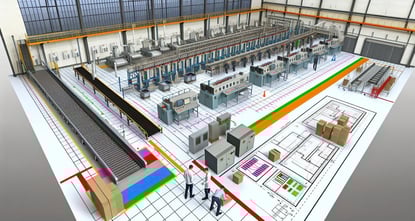
AI simulation tools help plant teams model production flow before they change the line. They can compare layouts, test constraints, and show where queues may form.
Unlike a static drawing, a simulation can show how the line behaves under different conditions. For example, teams can test higher demand, a material delay, a labor shortage, or a machine outage.
As a result, plant managers can make layout decisions with less guesswork and less risk.
How PlanetTogether Connects Layout Ideas to Schedules
PlanetTogether APS helps plant teams connect planning data to real production constraints. When layout ideas affect capacity, materials, or resources, planners can test how those changes may affect the schedule.
The integration of AI-powered simulation solutions like PlanetTogether with ERP, SCM, and MES systems helps teams compare layout ideas with current operating data. For example, planners can review orders, inventory, resources, and production status before changing the line.
This matters because layout decisions rarely affect one area only. For example, a change in equipment placement may affect material flow, labor use, bottleneck capacity, and delivery dates.
Key Planning Benefits of AI Layout Simulation
Data Integration
Connected data helps planners avoid layout decisions based on stale assumptions. ERP, SCM, and MES data can support better views of orders, inventory, resources, and production status.
Advanced Simulation Modeling
Simulation modeling lets teams test how machines, workflows, and material paths may perform before making a physical change. Therefore, teams can reduce risk before work reaches the floor.
Optimization Algorithms
Optimization tools can compare layout options against clear goals. For example, teams may want to reduce cycle time, improve flow, increase throughput, or protect a bottleneck resource.
What-If Analysis
What-if analysis helps plant managers test layout changes before they commit. Teams can compare scenarios and see how each option may affect capacity, resources, and schedule performance.
Continuous Improvement
Layout optimization should not be a one-time project. As demand, products, and constraints change, teams can revisit simulations and improve the layout again.
Decision Framework: When Should You Use AI Layout Simulation?
Use AI layout simulation when a layout change could affect flow, capacity, labor, materials, or delivery dates. First, find the constraint that disrupts the schedule most often. Then, test layout options against demand, resource limits, and material availability before moving equipment or changing work cells.
Move from Layout Ideas to Feasible Production Plans
AI simulations can help plant managers compare layouts, reduce bottlenecks, and improve flow. However, layout decisions need current data from production, inventory, resources, and demand. Therefore, teams need a planning layer that connects ERP data to real constraints.
The white paper WHY ERP ALONE IS Not the Answer explains how APS helps close that gap. It shows how manufacturers can use ERP data while improving visibility, scheduling accuracy, and scenario-based decisions.
In this white paper, you will learn how to:
First, identify where ERP limits capacity and constraint planning
Next, connect layout decisions to schedules, resources, and material flow
Then, compare what-if scenarios before changes affect production
Also, improve bottleneck visibility across equipment, labor, and workflows
Finally, reduce waste, downtime, and costly schedule disruption
Production line layout optimization is the process of arranging machines, workstations, labor, materials, and workflows so production can move with fewer delays, bottlenecks, and wasted steps.
How do AI simulations help with production line layout?
AI simulations help teams test layout options before making physical changes. They can show how each option may affect material flow, cycle time, throughput, downtime, labor use, and bottlenecks.
Why should layout simulations connect with APS and ERP data?
Layout changes affect production schedules, capacity, materials, and delivery dates. ERP provides business and inventory data, while APS helps planners see how layout decisions may affect feasible schedules.
When should a plant manager use AI layout simulation?
A plant manager should use AI layout simulation before adding equipment, changing work cells, moving lines, or increasing volume. It is also useful when a recurring bottleneck hurts schedule performance.
How does PlanetTogether support better layout decisions?
PlanetTogether helps planners compare what-if scenarios and review constraints. It also shows how changes may affect capacity, resources, materials, and production schedules.
See PlanetTogether APS in Action
Ready to connect layout decisions with feasible production schedules? Contact us today to see how PlanetTogether APS helps planners align resources, materials, constraints, and delivery commitments.