What Makes an APS Implementation Successful?
Implementing an APS solution can transform production efficiency, but success depends on strategic planning, stakeholder alignment, and understanding the critical factors that separate thriving implementations from failed projects.
Key Takeaways
- APS success depends on accurately modeling real-world constraints like capacity, materials, and changeovers.
- Cross-functional alignment between production, supply chain, and IT is critical from day one.
- Data quality and ERP integration directly determine scheduling accuracy and usability.
- Phased implementation delivers faster ROI and reduces project risk.
- Advanced Planning and Scheduling (APS) systems like PlanetTogether enable feasible, constraint-based schedules that improve throughput and on-time delivery.
Understand Your Current Scheduling Process and Constraints
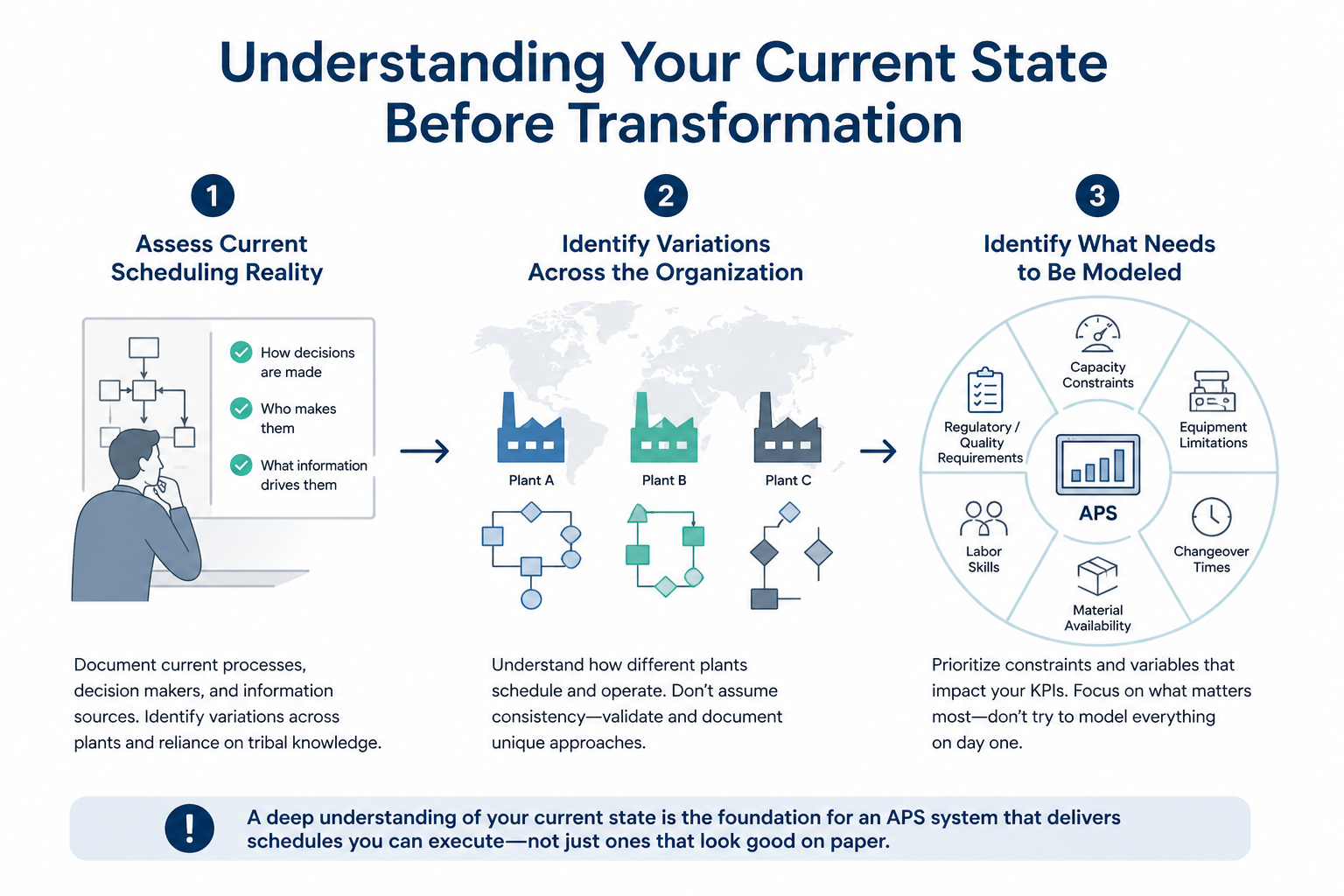
Before implementing an Advanced Planning and Scheduling system, manufacturers must conduct a thorough assessment of their current scheduling processes and operational realities. Many companies rush into APS implementations with generic best practices in mind, only to discover their unique constraints, workflows, and production environments weren't adequately mapped. This disconnect between the system's capabilities and the actual shop floor dynamics becomes a critical factor in project failure.
Start by documenting how scheduling decisions are made today, who makes them, and what information drives those decisions. Are your schedulers relying on tribal knowledge that exists only in their heads? Do different plants within your organization follow standardized processes, or has each facility developed its own approach over time? Understanding these variations is essential, particularly for multi-site manufacturers who may assume consistency where none exists.
Equally important is identifying what needs to be modeled within the APS system to reflect your production realities. This includes capacity constraints, equipment limitations, changeover times, material availability, labor skills, and any regulatory or quality requirements that impact scheduling. The goal isn't to model every minute detail from day one, but to prioritize the constraints and variables that most directly impact your key performance indicators. Without this foundational understanding, even the most sophisticated APS system will produce schedules that look optimal on paper but fail in execution.
Build Cross-Functional Alignment Early
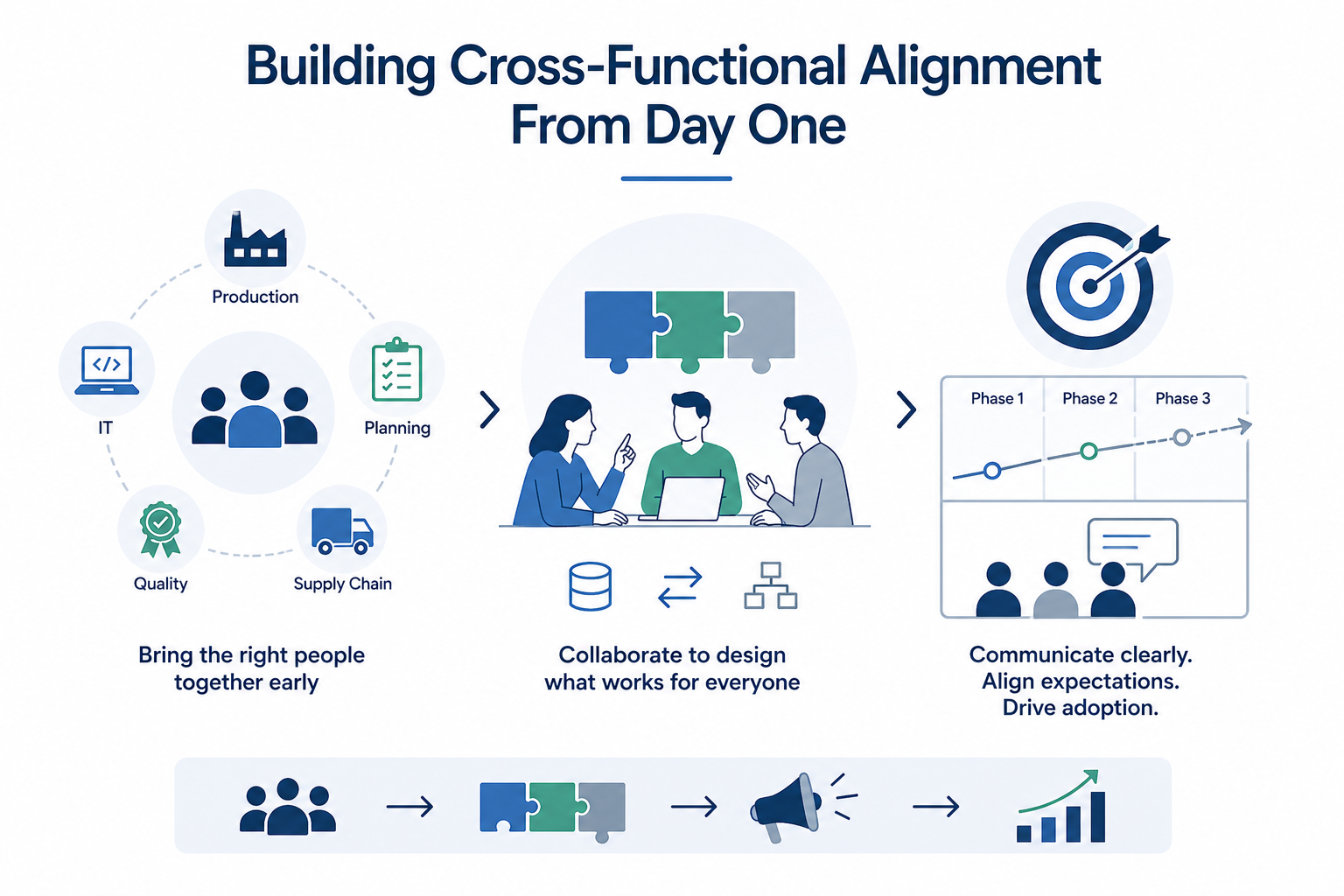
APS implementations affect multiple departments across the organization, from production and planning to supply chain, quality, and IT. One of the most common reasons APS projects stall is the lack of early alignment among these stakeholders. When each department operates with different priorities, definitions of success, or expectations about how the system will function, the project becomes fragmented and difficult to sustain.
Successful implementations establish a cross-functional project team at the outset that includes representatives from all affected areas. This team should have clear authority to make decisions, access to leadership support, and a shared understanding of the project's objectives. Production planners need to work alongside schedulers, supply chain managers, and IT administrators to ensure the data foundation, integration strategy, and workflow design serve everyone's needs without creating silos.
Beyond formal project teams, building broader organizational buy-in requires transparent communication about what the APS system will and won't do. Managing expectations early prevents disappointment later. For example, if the system will initially focus on finite-capacity scheduling for a single plant before expanding to multi-site optimization, that phased approach should be clearly communicated. When stakeholders understand the rationale behind implementation decisions and see their input reflected in the project plan, adoption becomes significantly easier.
Ensure Data Quality and ERP Integration
An APS system is only as effective as the data it receives. Poor data quality, incomplete information, or integration gaps between the APS platform and existing systems like ERP, MES, or supply chain management tools will undermine even the best-configured scheduling engine. This is where many projects encounter their most significant technical challenges, particularly when legacy systems contain inconsistent or outdated information.
Begin by auditing the data sources that will feed your APS system. Assess the accuracy, completeness, and timeliness of information related to orders, inventory, routing, capacity, and constraints. Identify where data gaps exist and develop a plan to address them before or during implementation. In some cases, this may require cleaning up master data in your ERP system or establishing new data collection processes on the shop floor.
Integration strategy is equally critical. Determine which systems need real-time connections versus periodic data synchronization, and ensure your IT infrastructure can support the required data flows without creating bottlenecks. Many manufacturers find that a phased integration approach works best, starting with core data feeds and expanding as the system matures. The key is ensuring that schedulers have access to accurate, up-to-date information when making decisions, while avoiding the complexity and risk that comes with attempting to integrate everything at once. Cloud-based APS platforms often simplify integration challenges by offering pre-built connectors and flexible APIs that reduce implementation time and technical overhead.
Define Clear KPIs and Realistic Timelines
APS projects fail when success isn't clearly defined or when expectations don't align with realistic implementation timelines. Before deployment begins, establish specific, measurable key performance indicators tied directly to business outcomes. These might include reducing scheduling time by a certain percentage, improving on-time delivery rates, decreasing inventory carrying costs, or increasing throughput on bottleneck resources. The metrics you choose should reflect your organization's strategic priorities and provide a clear basis for calculating return on investment.
Avoid the trap of setting too many KPIs or choosing metrics that are difficult to measure or attribute to the APS system. Focus on three to five primary indicators that matter most to your operations and that can be tracked consistently over time. These metrics should be agreed upon by your cross-functional team and communicated to leadership so everyone understands what success looks like.
Timeline expectations must also be grounded in reality. While rapid integration is possible with modern APS platforms, often achievable in 4-8 weeks for focused implementations, the journey from initial deployment to full optimization typically takes longer. A phased implementation approach tends to yield better results than attempting a 'big bang' rollout across multiple sites or production lines simultaneously. Phased adoption allows teams to learn from early deployments, refine configurations based on real-world feedback, and build internal expertise before expanding scope. This approach also generates quicker wins that build momentum and demonstrate value, which strengthens organizational commitment to the project.
Drive User Adoption with Training and Change Management
Even the most well-designed APS system will fail if the people who use it every day don't adopt it effectively. User adoption is not just about technical training, it's about change management, addressing concerns, and demonstrating how the new system improves daily work rather than adding complexity. Schedulers and planners who have relied on spreadsheets or manual processes for years may be skeptical about transitioning to an automated system, particularly if they've seen other technology initiatives fail in the past.
Effective training goes beyond basic system navigation. It should help users understand the logic behind the scheduling engine, how constraints are modeled, and how to interpret and adjust the system's recommendations. Training should be role-specific, recognizing that a production scheduler needs different knowledge than a supply chain manager or plant supervisor. Hands-on practice with real or realistic data helps users build confidence and competence before go-live.
Change management requires ongoing support beyond the initial training period. Establish clear channels for users to ask questions, report issues, and provide feedback. Consider designating internal champions or power users who can serve as peer resources and advocates for the system. Regularly communicate successes, such as measurable improvements in scheduling efficiency or on-time delivery, to reinforce the value of the APS system. When users see tangible benefits in their daily work and feel supported through the transition, adoption becomes natural rather than forced. This sustained attention to the human side of implementation is what ultimately determines whether an APS project delivers lasting operational impact or becomes another underutilized technology investment.
Missed the Live Session? Watch On Demand
Frequently Asked Questions
1. What is production scheduling software and how does APS differ?
Production scheduling software helps manufacturers plan and sequence production activities efficiently. Advanced Planning and Scheduling (APS) software goes further by using real-time data, constraints, and optimization algorithms to generate feasible, high-quality schedules that can adapt to changing conditions.
2. What are the limitations of ERP systems for scheduling?
ERP scheduling limitations stem from their reliance on basic planning logic and infinite capacity assumptions. While ERP systems are essential for managing transactions and data, they often lack the ability to account for real-world constraints like machine capacity, labor availability, and changeover times, making them less effective for detailed production scheduling.
3. How does APS software improve manufacturing performance?
APS software improves performance by optimizing production schedules based on actual constraints, helping reduce lead times, improve on-time delivery, lower inventory costs, and increase throughput, especially at bottlenecks.
4. What is the difference between APS vs ERP for production planning?
When comparing APS vs ERP, ERP systems focus on planning and resource management at a high level, while APS software specializes in detailed, constraint-based scheduling. Many manufacturers use both together, ERP for data and execution, and APS for optimization and decision support.
5. How long does it take to implement APS software?
APS software can often be implemented in as little as 4–8 weeks for an initial deployment, but full optimization typically takes longer through a phased rollout as teams refine models, improve data quality, and expand usage.