Quick Answer: What Is Operations Scheduling?
Operations scheduling turns a production plan into an executable timeline by assigning work to specific machines and labor, sequencing jobs to reduce changeovers, and calculating realistic start and finish times. Done well, it boosts utilization, shortens cycle time, lowers WIP inventory, and improves on‑time delivery. The key is keeping schedules feasible against capacity constraints and updating them fast when priorities or disruptions change.
Manufacturers often struggle with the same scheduling reality: customer commitments keep tightening while shop-floor constraints—labor availability, machine capacity, changeovers, down-time, and material readiness—keep shifting. Operations scheduling (often discussed alongside production planning and scheduling) turns a production plan into an executable timeline by assigning work to the right machines and people, sequencing jobs intelligently, and producing realistic start and finish times.
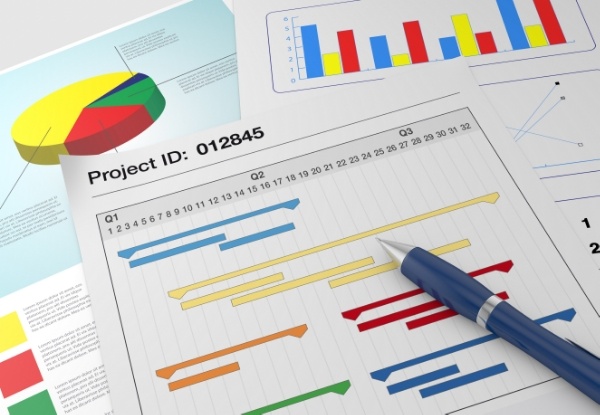
When operations scheduling is done well, plants improve on-time delivery, reduce idle time and WIP, and shorten cycle times—without relying on constant expediting. Planning determines what to make and which resources are required; scheduling adds the "when" by optimizing the sequence of operations (job shop scheduling) on those resources so production runs efficiently and predictably.
Operations Scheduling Objectives in Manufacturing
Core Functions of Operations Scheduling (Allocation, Sequencing, Timing)
-
Resource Allocation:
The first part of scheduling operations is to allocate resources to each job. This is different than assigning jobs to departments as not every machine or labor resource is capable of producing each item. This will give you a more realistic picture of the actual capacity you possess.
-
Sequence of Jobs:
The next part is to determine the right sequence of jobs that will be performed on each resource. A common technique used is grouping jobs together as to minimize the amount of setup and changeover required. This could be running jobs of similar color or materials one after the other to reduce machine setup.
-
Start and End Time of Job:
When your operations are scheduled in the right order, you will now have a specific start and end time. For the most accurate schedule, you should consider the different machine run rates for various products and various machines. Knowing when operations are supposed to start and finish will help you notify customers of the status of their order.
Scheduling Execution and Shop-Floor Control
-
Maximum Utilization of Plant:
Often, resources are not utilized to their full capacity. This leaves many resources idle for long periods of time which can be costly. One method to improve the overall schedule is to focus on the scheduling of operations on resources that are bottlenecks or that cost a lot to run. This will ensure that those resources are always processing items while upstream and downstream operations are adjusted to limit the number of WIP items.
-
Information on Machines:
Operations scheduling means that you have up-to-date operations on machines and the products that are being produced. Shop floor feedback on the status of operations offers additional visibility on the status of orders.
-
Shop Floor Control:
Having optimized operation schedules ensures that everyone knows what should be started and completed when. This gives additional structure and control over the shop floor operations.
Overall, operations scheduling will allow your company to see an increase in the number of on-time deliveries and allow you to maintain a competitive advantage in the market. An Advanced Planning and Scheduling (APS) system like PlanetTogether can help you save time in the creation of the most optimized production schedule to help you reach your company’s goals. Manufacturing companies around the globe are turning to APS software to have better visibility within their operations and improve their production.
The shift to PlanetTogether is saving us about 15% in inventory overhead and about 20% in overtime labor expenses. We're not building equipment to stock any longer - we're building to ship.
BRUCE HAYS, DIRECTOR OF MANUFACTURING, J&J SYNTHES
Decision Framework: Choosing an Operations Scheduling Approach
Use this checklist to pick the right scheduling approach and tools:
1) How constrained is your shop floor?
If you have frequent changeovers, shared labor, long setups, or bottleneck resources, prioritize finite-capacity planning and scheduling.
2) How volatile are priorities and demand?
If orders, materials, or priorities shift daily, you need rapid re-planning and scenario (“what‑if”) analysis.
3) What level of scheduling detail is required?
If you need job sequencing, realistic start/end times, and execution-level visibility, review production planning vs. scheduling (key differences).
4) Can ERP/MRP scheduling handle your reality?
If ERP outputs schedules that look good on paper but break on the floor, use APS to build feasible schedules from real constraints.
5) Next step: validate fit with your data and constraints
Request an APS demo (constraint-based scheduling) to see how feasible scheduling and what‑if scenarios work using your operating assumptions.
How APS Supports Feasible, Constraint‑Based Operations Scheduling
Operations scheduling succeeds or fails on two things: realistic capacity and repeatable execution. When schedules ignore machine and labor constraints—or can’t be updated quickly when priorities change—plants see idle time, excess WIP, longer lead times, and missed deliveries. APS supports the core functions of operations scheduling by building feasible, constraint-based schedules and keeping them current as conditions change.
APS also complements ERP/MRP by using the data you already maintain (orders, routings, calendars, run rates) while adding stronger scheduling logic around sequencing, changeovers, bottlenecks, and start/finish-time accuracy.
With PlanetTogether APS, you can:
- Allocate work to the right machines and labor resources for a realistic capacity view
- Sequence jobs to reduce setup/changeovers and improve labor efficiency
- Generate reliable start/end times to improve service levels and customer communication
- Protect bottlenecks to maximize plant utilization, throughput, and profitability
- Use what-if scenarios to respond faster when disruptions or priorities shift
If your goals are higher utilization, lower WIP, faster cycle times, and better on-time delivery, APS gives planners a practical way to create—and maintain—an optimized operations schedule.
What-If Scheduling Scenarios: Compare Production Plans in APS
When demand changes, a critical machine goes down, or a priority order gets pulled forward, most schedules need more than a quick edit—they need a realistic re-plan. This video explains how what-if scheduling scenarios work and how comparing alternatives helps operations teams choose the best plan for throughput, on-time delivery, and capacity utilization.
For production schedulers, planners, and operations leaders, scenario comparison is the practical way to answer questions like: Should we move work to a different resource? What happens if we run a different sequence? What if we expedite one order—what gets late? In manufacturing, scheduling must remain feasible against real constraints, not just “fit on the calendar.”
The video also connects scenario planning to Advanced Planning & Scheduling (APS): instead of rebuilding schedules manually, APS supports faster iteration so teams can compare tradeoffs and update schedules as conditions change—without losing control of the operation.
Download the Infographic: What-If Scheduling Without the Spreadsheet Grind
What-if scenarios are only useful if you can run them quickly. But when schedules live in spreadsheets, scenario comparison often turns into a slow cycle of gathering updates, copying jobs, and reworking plans—so decisions arrive late and the floor runs on outdated priorities.
Download our infographic comparing spreadsheet scheduling vs. PlanetTogether APS to see how much time teams typically spend just keeping schedules current—and what changes when scheduling is built for manufacturing operations. It’s a practical, ToFU-friendly resource for anyone responsible for operations scheduling and production scheduling who needs faster re-planning and clearer execution alignment.
In the infographic, you’ll get side-by-side benchmarks for:
- Refreshing planning data: 1–5 min vs 1–2 hours
- Optimizing the schedule: 1–5 min vs 1–2 hours
- Adjusting schedules for what-if scenarios: 30–60 min vs 1–2 hours
- Communicating the schedule to production: 1–5 min vs 1–2 hours
- Total daily impact: ~1 hour/day vs ~8 hours/day

Operations Scheduling FAQs
What is the primary goal of operations scheduling?
The goal is to create an executable schedule that meets due dates while using capacity efficiently. That means assigning work to the right resources, sequencing it to reduce waste (like changeovers), and producing realistic start/finish times the shop floor can follow.
What’s the difference between planning and scheduling?
Planning decides what to make and with what resources. Scheduling adds the when by sequencing jobs on specific machines and labor so the plan can be executed with real timing and capacity constraints.
What are the core functions of operations scheduling?
Most scheduling systems handle three core functions: resource allocation (who/what runs the job), job sequencing (what runs next and why), and start/end time calculation (when work begins and completes).
Why do schedules fail on the shop floor?
Schedules fail when they ignore real constraints such as labor availability, downtime, setup time, and material readiness—or when priorities change and the schedule cannot be updated quickly.
What metrics matter most for evaluating schedule quality?
Common metrics include resource utilization, lead or cycle time, WIP levels, schedule adherence, and on-time delivery/service level. The best set depends on whether you are optimizing throughput, delivery performance, or schedule stability.
Ready to build feasible schedules that hold up on the shop floor? Request an APS demo and see how PlanetTogether supports constraint-based scheduling, sequencing, and rapid re-planning.