Quick Answer: What Features Does APS Software Offer Manufacturers?
APS software helps manufacturers build better production schedules by combining capacity, materials, sequencing, and planner control in one system. Key features include what-if analysis, schedule optimization, concurrent planning, and drag-and-drop schedule changes.
Key Takeaways
- APS helps manufacturers build schedules that reflect real capacity, materials, and production limits.
- What-if analysis helps teams test changes before they affect live operations.
- Schedule optimization improves sequencing, setup efficiency, and delivery performance.
- Concurrent planning keeps materials, inventory, and production timing aligned.
- Drag-and-drop scheduling gives planners flexibility without losing system logic.
Why ERP Alone Is Not Enough for Production Scheduling
ERP is good at storing business data. It is not built for daily production scheduling. When planners need to react to capacity limits, material shortages, or shifting priorities, APS fills that gap.
Why APS Implementation Is More Practical Than Many Teams Expect
Some manufacturers assume APS will be slow to roll out or hard to justify. In most cases, APS works alongside ERP rather than replacing it. That gives teams better schedules without rebuilding their whole system.
4 APS Features That Help Manufacturers Schedule Better
APS helps manufacturers improve scheduling because it combines automation, constraint-based logic, and planner control in one system.
Here are four of the most valuable APS features for both large and small operations.
1. What-If Scenario Analysis for Faster Schedule Decisions
What-if analysis helps planners test schedule changes before making them live. Teams can copy the current plan, compare options, and see the results without disrupting production. This makes it easier to test a new machine, change priorities, adjust labor, or try a different job sequence. Instead of guessing, planners can compare options and choose the best one.
2. Finite Scheduling Based on Real Capacity
Finite-capacity scheduling builds a plan around real limits. APS looks at machine time, labor, setup rules, and job order before it builds the schedule. That helps teams prioritize urgent work, reduce setup waste, and improve throughput without overloading the plant.
3. Concurrent Planning for Machines, Labor, and Materials
Planning and scheduling often break apart when materials, labor, and machine time are managed separately. APS keeps them together. When inventory, capacity, and timing are planned at the same time, the schedule is more realistic and easier to run.
This is especially useful for growing manufacturers that need better planning discipline without adding more spreadsheet work.
4.Why Drag-and-Drop Scheduling Still Matters
Automation helps, but planners still need control. Drag-and-drop scheduling lets users move jobs in the Gantt chart without rebuilding the whole plan. The system adjusts around the change, so teams can respond faster when conditions shift.
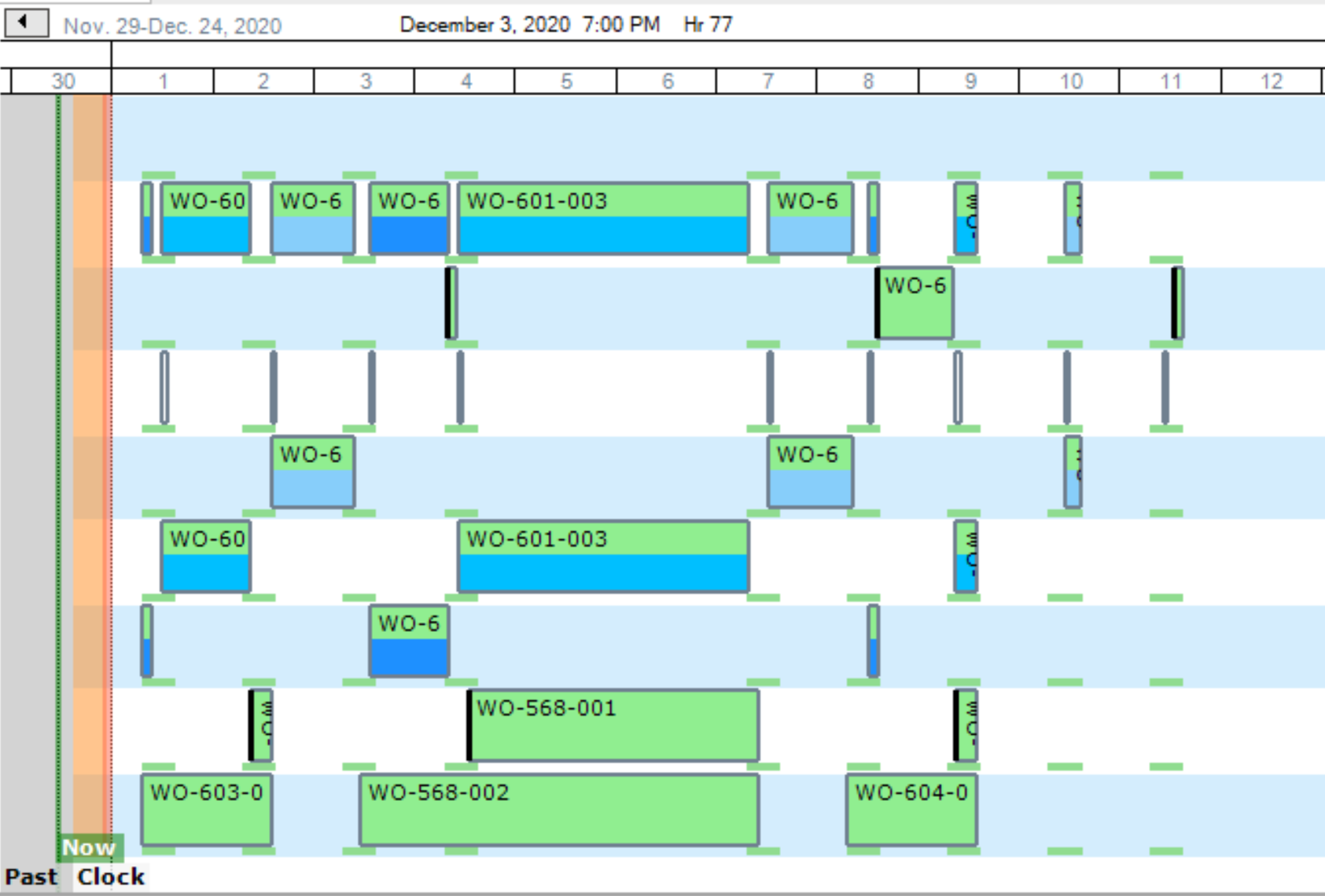
These are only some of the features available with PlanetTogether’s Advanced Planning and Scheduling systems. These powerful features will allow you to generate optimized production schedules and save your company time and money.
Decision Framework: Which APS Feature Should You Prioritize First?
Use this quick guide to identify which APS feature will create the biggest improvement first.
You need to test schedule changes before committing to them.
Start with what-if scenario analysis so you can compare options without disrupting the live schedule.
Your schedules are too hard to optimize manually.
Prioritize schedule optimization to improve sequencing, setup efficiency, and delivery performance.
Planning and scheduling are disconnected.
Focus on concurrent planning and scheduling so materials, capacity, and production timing stay aligned.
Your team needs automation, but planners still want control.
Prioritize drag-and-drop scheduling so users can adjust schedules quickly without losing system logic.
The best place to start is usually the feature tied to your most frequent scheduling bottleneck or planning delay.
How PlanetTogether APS Helps Manufacturers Scale Scheduling
APS helps both small and large manufacturers schedule with more speed and control. Smaller teams use it to move beyond spreadsheets. Larger teams use it to manage more products, more resources, and more constraints.
PlanetTogether APS helps manufacturers:
- create optimized schedules that balance efficiency and delivery performance
- improve throughput on bottleneck resources
- synchronize supply with demand to reduce inventory
- improve visibility into resource capacity
- support faster, data-driven planning decisions
I can just say that every process, from order entry to warehouse planning, scheduling, materials planning, and so on, have ALL become more responsive and able to plan better with PlanetTogether APS.
CHUCK DIPIETRO, DIRECTOR OF PROCUREMENT & PLANNING, BEMA INCORPORATED
This kind of improvement matters when manufacturers are trying to scale scheduling without adding more manual work.
By connecting planning, scheduling, and operational data in one system, APS gives teams a clearer way to respond to change and improve execution.
Video: Advanced Planning and Scheduling Software for Large and Small Manufacturers
See how PlanetTogether APS helps manufacturers move beyond spreadsheets and ERP-only planning. The video shows how features like what-if analysis, schedule optimization, and concurrent planning support faster, more realistic scheduling.
See What APS Implementation Looks Like in Practice
Understanding APS features is the first step. The next challenge is deciding how those features fit your operation, your ERP environment, and your rollout plan.
APS Implementation: Just the Facts is the best next resource for manufacturers evaluating what an APS rollout actually involves.
Readers will learn:
- what APS should deliver beyond ERP and spreadsheets
- how APS integrates with ERP in a practical rollout
- which data is needed to support feasible scheduling
- on-premise versus cloud deployment considerations
- who owns testing, proof of concept, and rollout steps

FAQs About APS Software Features
What are the most important APS software features?
The most important APS software features typically include what-if scenario analysis, schedule optimization, concurrent planning and scheduling, capacity-aware scheduling, and ERP-connected planning visibility.
How does APS software differ from ERP?
ERP manages transactions, records, and business processes.
APS focuses on creating production plans and schedules that reflect capacity, labor, materials, sequencing, and other real-world limits.
Can small manufacturers benefit from APS software?
Yes.
APS is not only for large enterprises. Small manufacturers can use APS to improve scheduling accuracy, respond faster to changes, reduce waste, and compete more effectively without relying on spreadsheets alone.
What is what-if scenario analysis in APS?
What-if scenario analysis lets planners test changes to jobs, capacity, priorities, or resources in a sandbox version of the schedule before applying them to live operations.
When should a manufacturer invest in APS software?
Manufacturers should evaluate APS when ERP-only planning, spreadsheets, or manual scheduling are no longer enough to manage production variability, bottlenecks, schedule churn, or growth.
See PlanetTogether APS in Action
Ready to see how APS features can improve scheduling accuracy, planning speed, and responsiveness in your operation?
Request a PlanetTogether APS demo to explore how the platform supports real manufacturing constraints, ERP-connected data, and scalable scheduling for both large and small manufacturers.